Midjourney · MJ v6.1
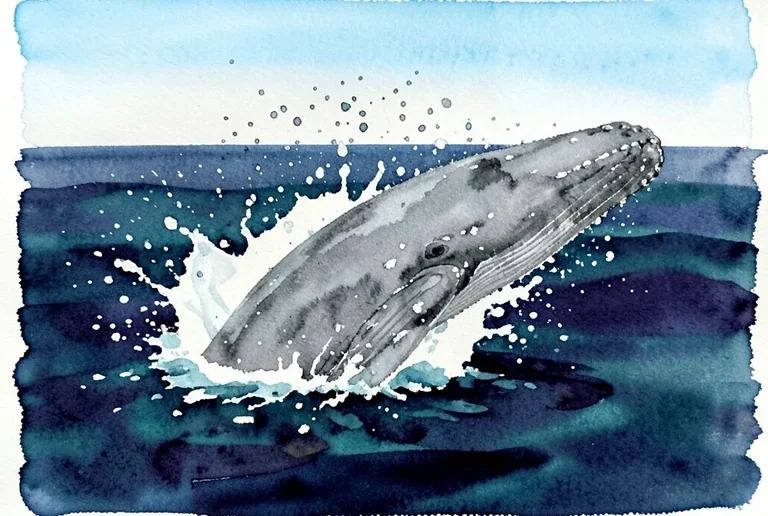
Watercolor Whale Ocean Splash
Tested: 2026-08-08
3:2 · 768 × 516
The prompt
Prompt
A loose watercolor painting of a humpback whale breaching out of a dark indigo ocean, a curving splash of droplets and foam around the body, wet-on-wet washes in deep indigo, teal and payne's grey for the water, the whale body a single wet grey wash with a mottled belly, scattered water droplets flung as loose salt-texture spots, pale cerulean sky as a thin band at the top, granulating pigment collecting along the splash edge, white paper reserved for the foam highlights, no text, no signature, no border --ar 3:2 --stylize 200How to use this prompt
- 1
Open the generator that matches the model and version above, and start a new image rather than editing an existing one.
- 2
Set the output to 3:2 and apply the settings shown in the parameters panel — together those produced the 768 × 516 image on this page.
- 3
Paste the prompt exactly as written. Changing the wording changes the image, so copy it before you edit.
- 4
Generate, then change one thing at a time. The result will not be pixel-identical to the image on this page, because no seed is recorded for it.
Midjourney takes the aspect ratio as a parameter appended to the prompt rather than as a separate control, written as --ar 3:2, and --stylize followed by a number controls how far the model pushes its own aesthetic. Append both to the end of the prompt text instead of looking for fields for them.
Related prompts
More prompts from the same model, and prompts that share a use case with this one.