ChatGPT (DALL·E) · GPT Image 2 (ChatGPT)
Tech Review YouTube Thumbnail Backdrop
Tested: 2026-07-28
16:9 · 768 × 432
The prompt
Prompt
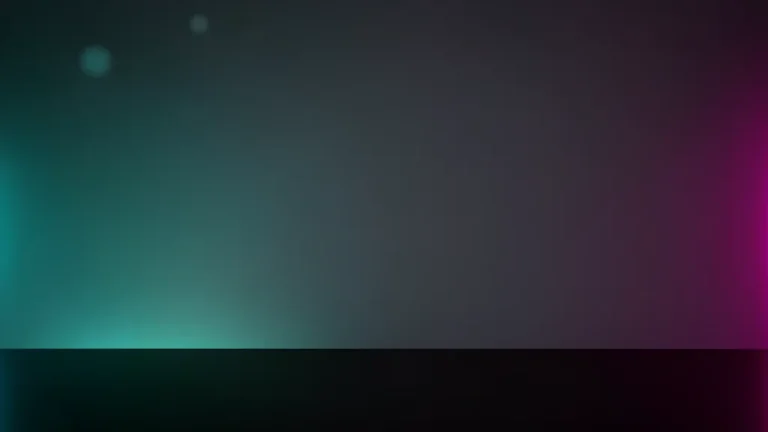
A YouTube thumbnail background plate for a tech review channel, a dark charcoal gradient studio backdrop with a soft teal glow from the left and a magenta glow from the right rimming the edges of the frame, a matte black desk surface across the bottom third catching a faint reflection, a few subtle out-of-focus bokeh dots in the upper left corner, the entire right half of the frame left deliberately clean and empty, no props, no devices, no people, no text, no letters, no logosHow to use this prompt
- 1
Open the generator that matches the model and version above, and start a new image rather than editing an existing one.
- 2
Set the output to 16:9. That is the only output setting recorded for this entry, and it is what produced the 768 × 432 image on this page.
- 3
Paste the prompt exactly as written. Changing the wording changes the image, so copy it before you edit.
- 4
Generate, then change one thing at a time. The result will not be pixel-identical to the image on this page, because no seed is recorded for it.
Only an aspect ratio is recorded for this entry. GPT Image and DALL·E do not expose a sampler, step count, or CFG value in the interface this was tested in, so there are no numbers to match — the prompt text and the aspect ratio are the whole instruction. Resize by describing the framing in words rather than reaching for a parameter.
Related prompts
More prompts from the same model, and prompts that share a use case with this one.