Flux · Flux.1 dev
Product Brand Flatlay
Tested: 2026-08-07
1:1 · 768 × 768
The prompt
Prompt
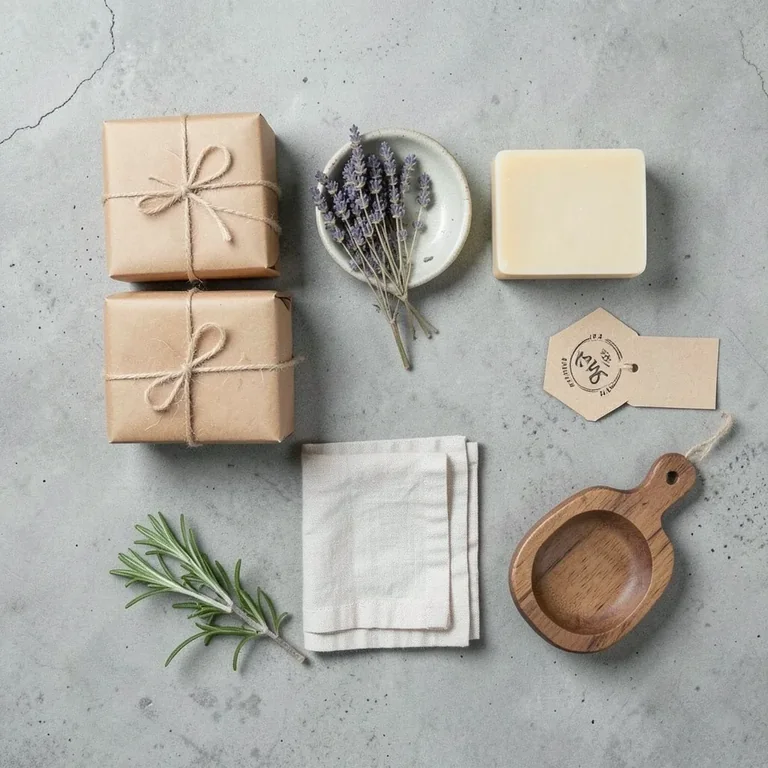
A product brand flatlay for a handmade soap company, a top-down arrangement on a grey concrete surface, two wrapped soap bars in kraft paper with twine, a small ceramic dish with dried lavender, a linen washcloth folded in thirds, a sprig of fresh rosemary, a stamped paper hang-tag, and a wooden soap dish arranged in a balanced grid, soft even lighting from above, palette of sage green, cream, kraft brown and grey, photorealistic product-photography style, no text, no letters, no watermarkHow to use this prompt
- 1
Open the generator that matches the model and version above, and start a new image rather than editing an existing one.
- 2
Set the output to 1:1 and apply the settings shown in the parameters panel — together those produced the 768 × 768 image on this page.
- 3
Paste the prompt exactly as written. Changing the wording changes the image, so copy it before you edit.
- 4
Generate, then change one thing at a time. The result will not be pixel-identical to the image on this page, because no seed is recorded for it.
Step count and CFG scale are recorded for this entry and belong to the sampler settings of whatever interface you run Flux in. No sampler name is recorded for Flux entries in this library, so there is nothing to match there.
Related prompts
More prompts from the same model, and prompts that share a use case with this one.