ChatGPT (DALL·E) · GPT Image 2 (ChatGPT)
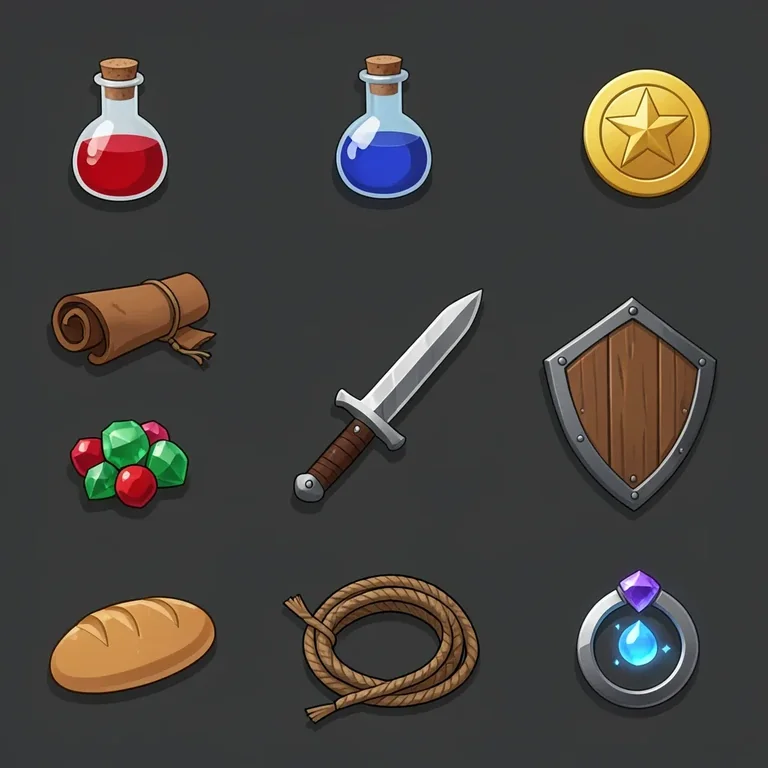
Game Inventory Icon Set
Tested: 2026-08-07
1:1 · 768 × 768
The prompt
Prompt
A game inventory icon set on a flat dark background, a collection of RPG item icons arranged in a neat grid, a health potion in a corked flask with red liquid, a mana potion in a blue flask, a gold coin with a star emboss, a leather scroll tied with string, an iron sword with a leather grip, a wooden shield with iron rivets, a gemstone cluster of emerald and ruby, a loaf of bread, a coil of rope, and a magic ring with a glowing gem, each icon centered in its own cell with consistent sizing, clean flat digital art style with soft drop shadows, palette of warm brown, steel grey, gem red and blue, no text, no letters, no numbersHow to use this prompt
- 1
Open the generator that matches the model and version above, and start a new image rather than editing an existing one.
- 2
Set the output to 1:1. That is the only output setting recorded for this entry, and it is what produced the 768 × 768 image on this page.
- 3
Paste the prompt exactly as written. Changing the wording changes the image, so copy it before you edit.
- 4
Generate, then change one thing at a time. The result will not be pixel-identical to the image on this page, because no seed is recorded for it.
Only an aspect ratio is recorded for this entry. GPT Image and DALL·E do not expose a sampler, step count, or CFG value in the interface this was tested in, so there are no numbers to match — the prompt text and the aspect ratio are the whole instruction. Resize by describing the framing in words rather than reaching for a parameter.
Related prompts
More prompts from the same model, and prompts that share a use case with this one.