Flux · Flux.1 dev
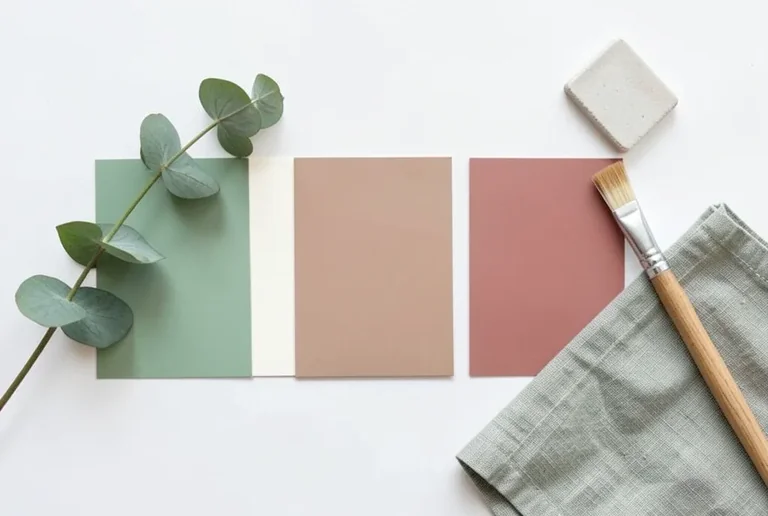
Brand Color Palette Board
Tested: 2026-08-07
3:2 · 768 × 516
The prompt
Prompt
A brand color palette board for a wellness brand, a top-down flat-lay of paint swatch cards arranged in a row on a white surface, five swatches in graduated tones of sage green, soft cream, warm taupe, dusty pink and muted terracotta, a sprig of eucalyptus laid across the swatches, a small ceramic tile sample, a folded linen napkin in sage, and a wooden paint brush resting beside the cards, soft natural daylight, photorealistic style, no text, no letters, no watermarkHow to use this prompt
- 1
Open the generator that matches the model and version above, and start a new image rather than editing an existing one.
- 2
Set the output to 3:2 and apply the settings shown in the parameters panel — together those produced the 768 × 516 image on this page.
- 3
Paste the prompt exactly as written. Changing the wording changes the image, so copy it before you edit.
- 4
Generate, then change one thing at a time. The result will not be pixel-identical to the image on this page, because no seed is recorded for it.
Step count and CFG scale are recorded for this entry and belong to the sampler settings of whatever interface you run Flux in. No sampler name is recorded for Flux entries in this library, so there is nothing to match there.
Related prompts
More prompts from the same model, and prompts that share a use case with this one.