Prompt techniques · Lighting
5 AI Lighting Prompts Tested on the Same Portrait
I used one shared black-and-white portrait brief and compared a baseline with four lighting instructions. The background changed more dramatically than the face: even the backlight prompt did not reverse which side of the face was brighter.
Published: August 8, 2026
By ImagePromptBox Team
10 min read
Quick answer
In these five images, the lighting instructions moved the wall brightness more than the face lighting. The wall’s left-to-right difference ranged from −65 to +76 grayscale levels; the face stayed frame-left-brighter in every result, between +12 and +46. The prompts are useful examples of how a model may interpret a lighting brief, but they do not isolate the effect of any one word.
The portrait brief
The starting image supplied the look: a seated man in a black shirt, monochrome editorial styling, and a plain studio wall. The five result files below share a written subject, pose, wardrobe, framing, and grayscale prompt. The available records do not say that the same source image or seed was reused for each generation.
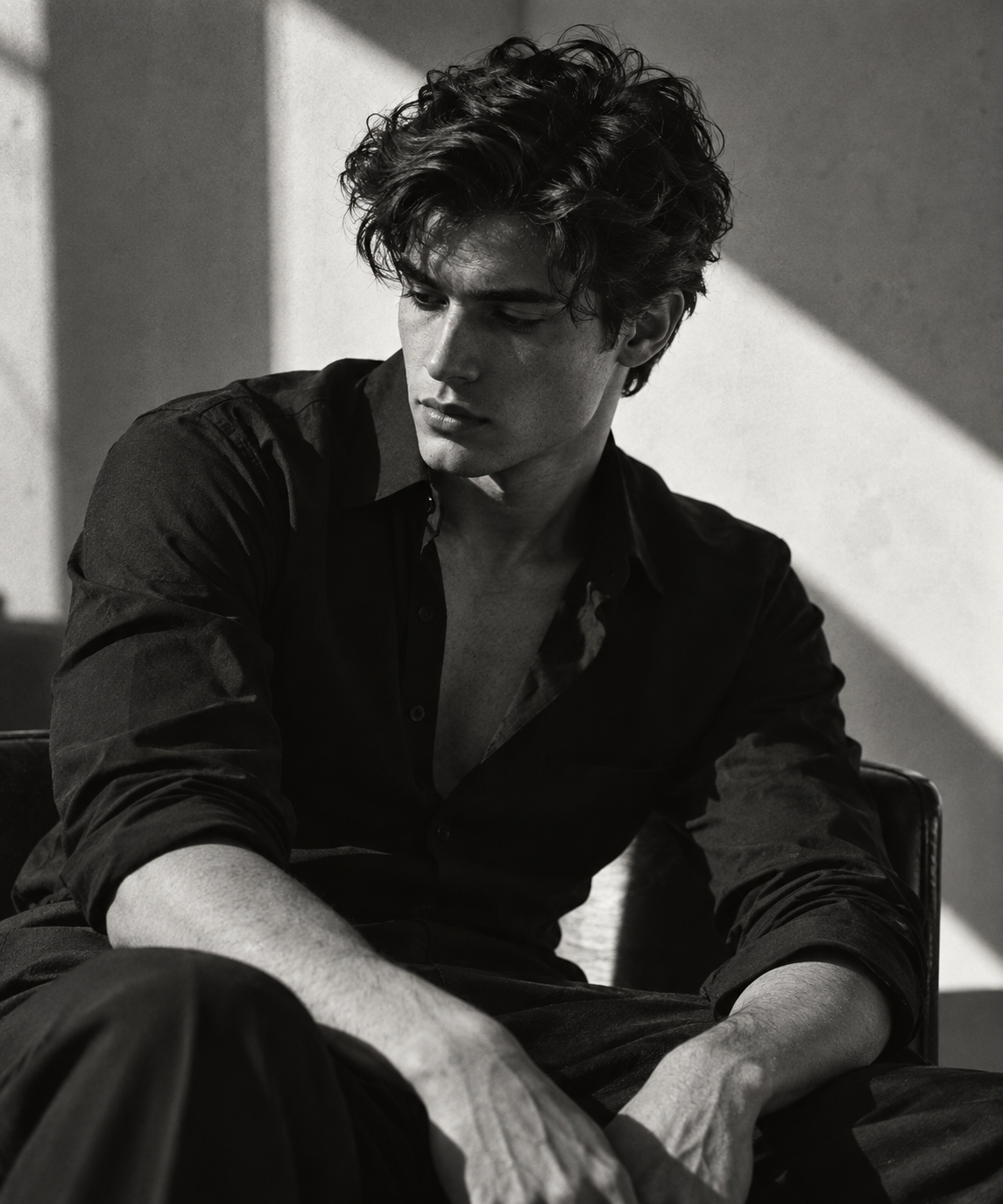
Show the source prompt for the reference image
Ultra-realistic cinematic black-and-white editorial portrait, young man with thick wavy textured hair, wearing a slightly unbuttoned black dress shirt, seated in a relaxed pose, head tilted downward while looking past the camera, defined jawline, soft natural skin texture, moody expression, minimalist studio backdrop with a dramatic diagonal beam of sunlight across the wall, high-contrast Rembrandt lighting, deep noir shadows, subtle film grain, luxury fashion campaign aesthetic, photographed on a Hasselblad X2D 100C, 90mm lens, f/2.8, shallow depth of field, Kodak Tri-X 400 monochrome film look, rich grayscale tones, editorial composition, Vogue Homme × Saint Laurent campaign, photorealistic, ultra-detailed, 8K.The five prompt versions
The first prompt is the shared portrait description with no added lighting clause. For the other four, pair that same base with one lighting block below. Each block contains several instructions—such as source position, shadow quality, contrast, fill, or facial detail—so this is a comparison of prompt bundles, not a one-variable experiment.
Shared portrait prompt
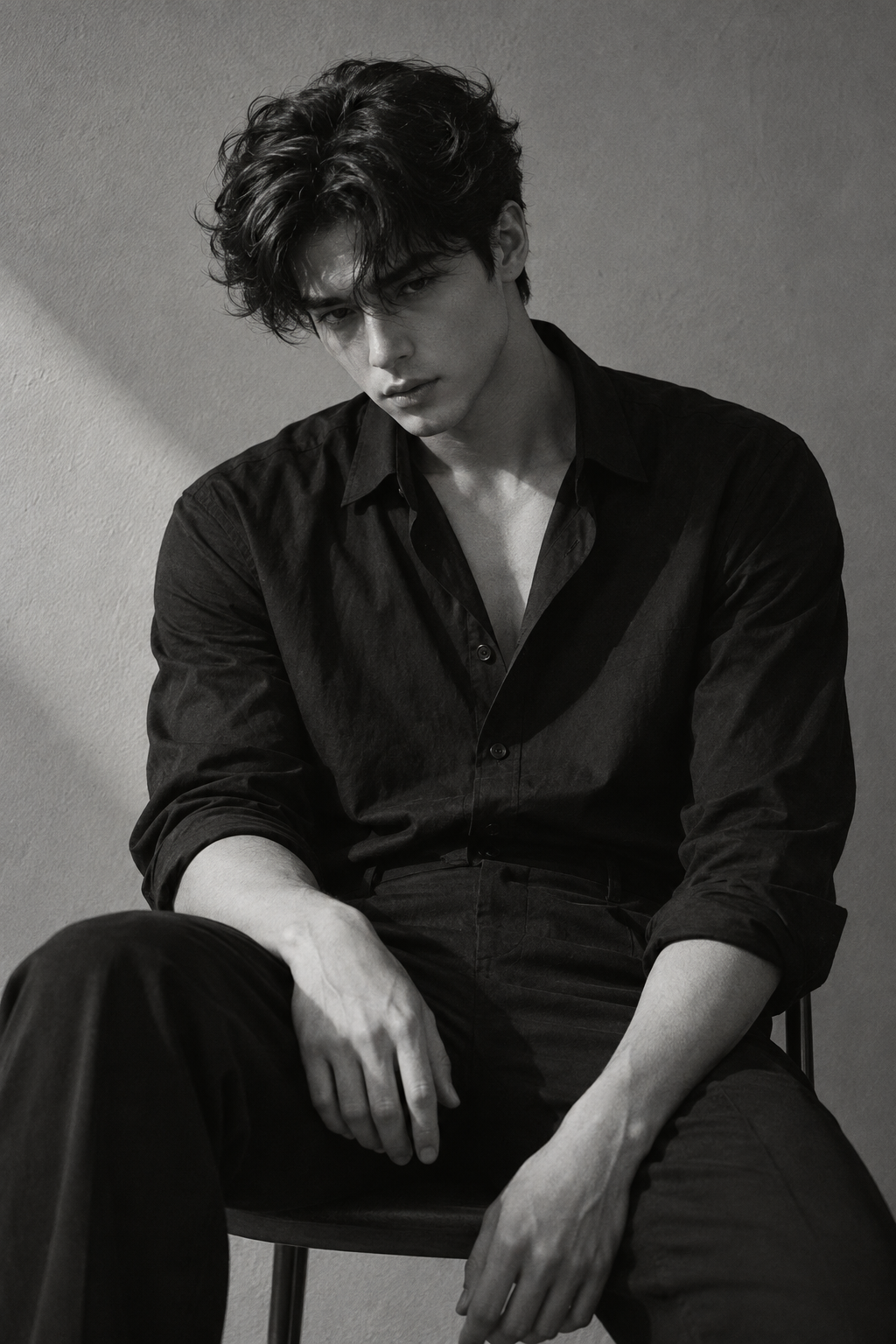
Photorealistic black-and-white editorial portrait of a young man with thick wavy hair and natural skin texture, wearing a slightly unbuttoned black dress shirt and seated in a relaxed pose. Head tilted down, gaze just past the camera. Minimal studio with a plain wall. Frame vertically from mid-thigh up. Keep the same subject, pose, framing, wardrobe, backdrop, and grayscale treatment across the set. Fine monochrome grain, editorial portrait composition.Prompt 01
Baseline: no added lighting direction
What this prompt asks for: Show what the model chooses when the shared portrait prompt has no lighting clause.
Lighting block
None. Use the shared portrait prompt as written; the model chooses the light.
What I see in the supplied result: The baseline is not flat or unlit. A soft diagonal edge crosses the wall, and the frame-left side of the face is brighter. In this set, leaving lighting unspecified gave the model room to choose a direction.
Face L/R +23 · wall L/R +31 · frame mean 68
Prompt 02
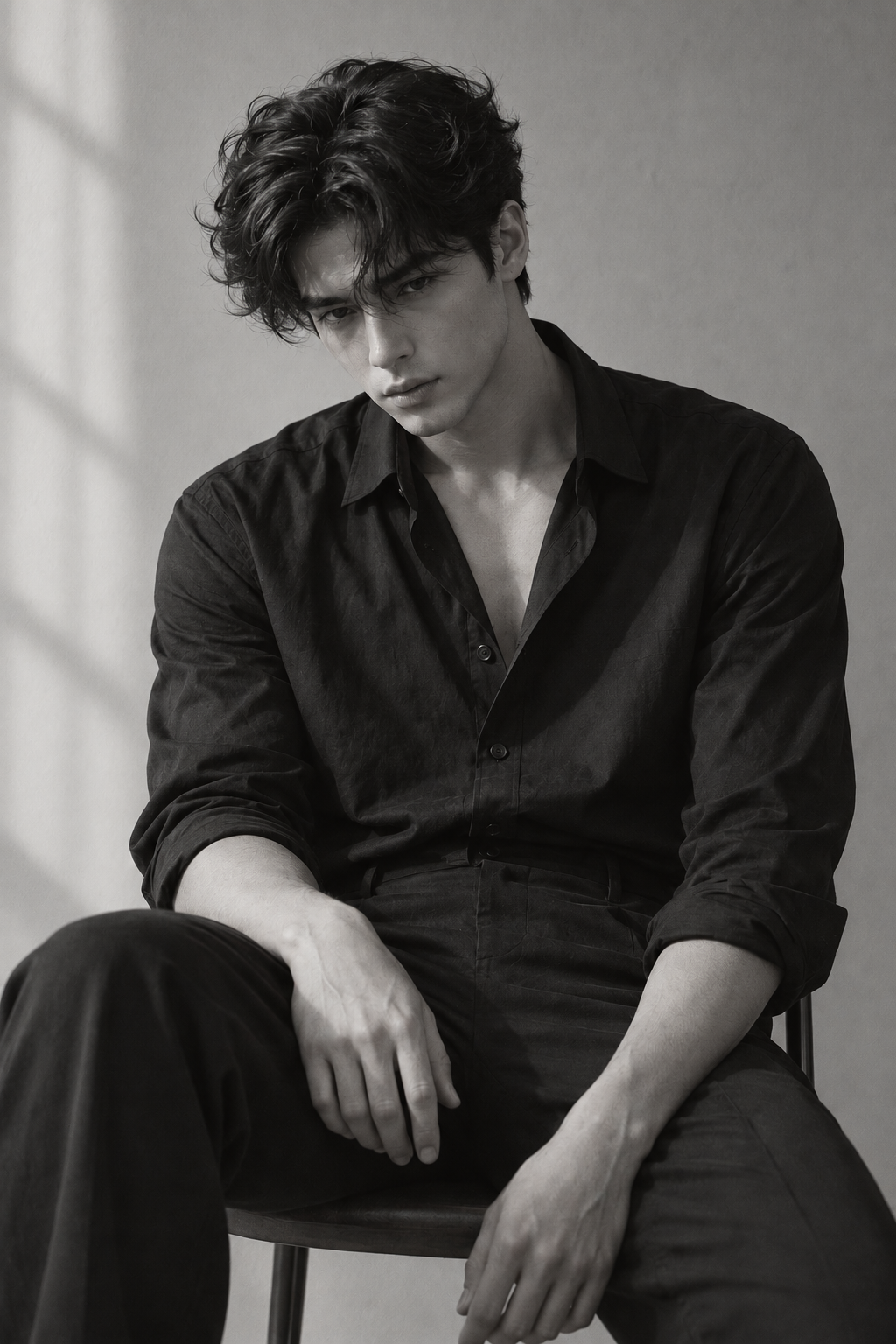
Soft window light
What this prompt asks for: Ask for a broad, soft source, low contrast on the face, and a brighter background.
Lighting block to add to the shared prompt
Soft, diffused daylight from a large window on frame-left. Gentle low-contrast shadows across the face, natural detail visible on both cheeks, softly lit background.What I see in the supplied result: The wall brightens most clearly: broad, feathered bands cross it, and its frame-left region rises from 135 to 186. The frame mean rises from 68 to 85. The face's left-to-right difference barely moves, from +23 to +24, so the wall reads softer and brighter while the face remains similarly directional.
Face L/R +24 · wall L/R +55 · frame mean 85
Prompt 03
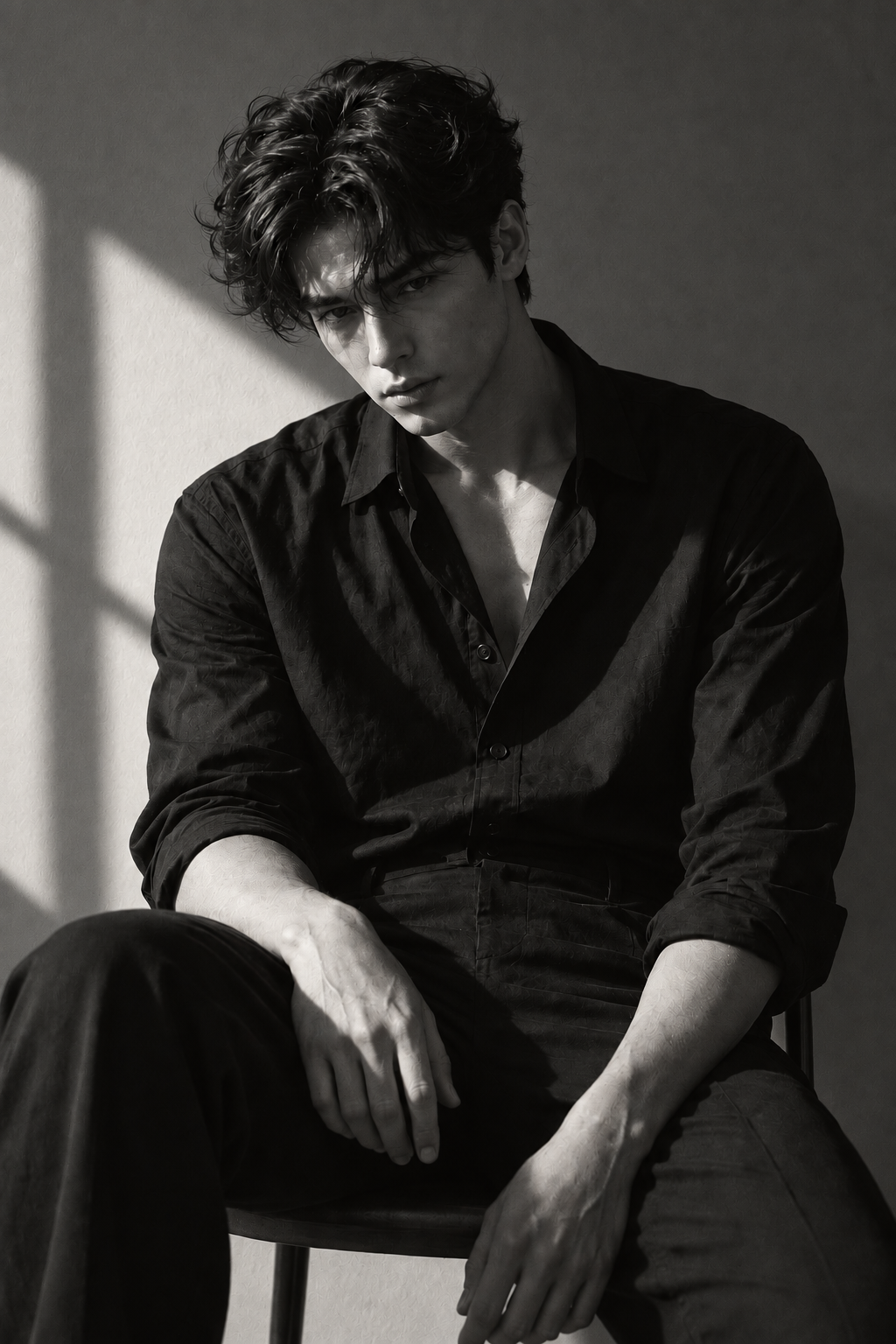
Hard side light
What this prompt asks for: Ask for a hard frame-left key, a defined opposite-side shadow, and no fill.
Lighting block to add to the shared prompt
One hard light source from frame-left. Bright highlights on the left side of the face, a defined shadow on frame-right, sharp shadow edges, high contrast, no fill light.What I see in the supplied result: The wall keeps a window-like crossing pattern, but its edges are crisp. The wall difference reaches +76, the largest in this set, and the face difference rises to +46. The image is darker overall than the baseline, with the unfilled side falling into shadow.
Face L/R +46 · wall L/R +76 · frame mean 59
Prompt 04
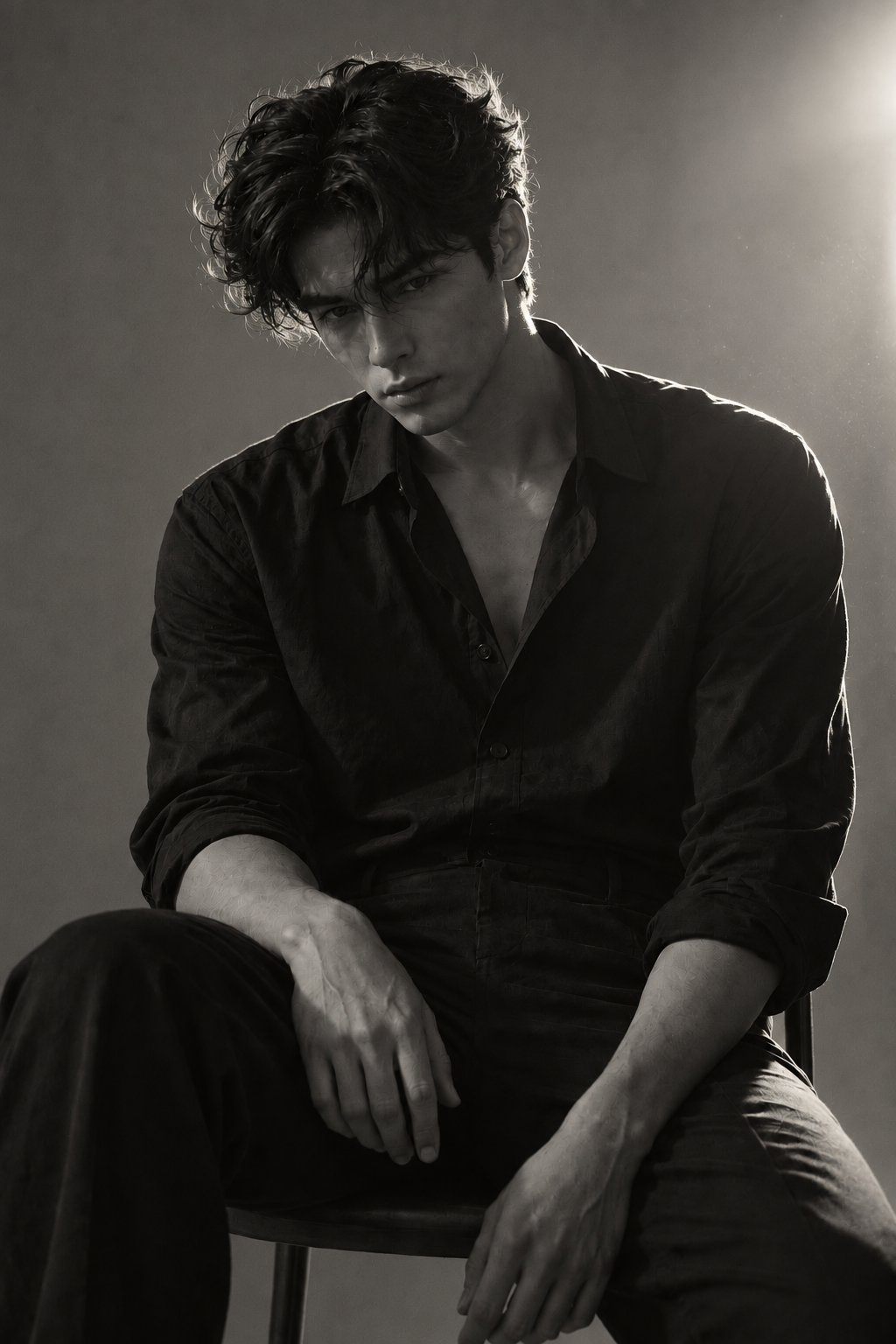
Backlight
What this prompt asks for: Move the source behind the subject and ask for a rim while withholding front fill.
Lighting block to add to the shared prompt
A bright light source behind and slightly to frame-right of the subject. A narrow rim of light outlines the hair and shoulder; keep the face mostly in shadow but retain facial detail, with no front fill.What I see in the supplied result: This is the only result where the brighter side of the wall reverses: frame-right is brighter by about 65 levels. The hair and shoulder pick up a visible rim. The face does not reverse with the wall; its frame-left side is still brighter by +13.
Face L/R +13 · wall L/R −65 · frame mean 56
Prompt 05
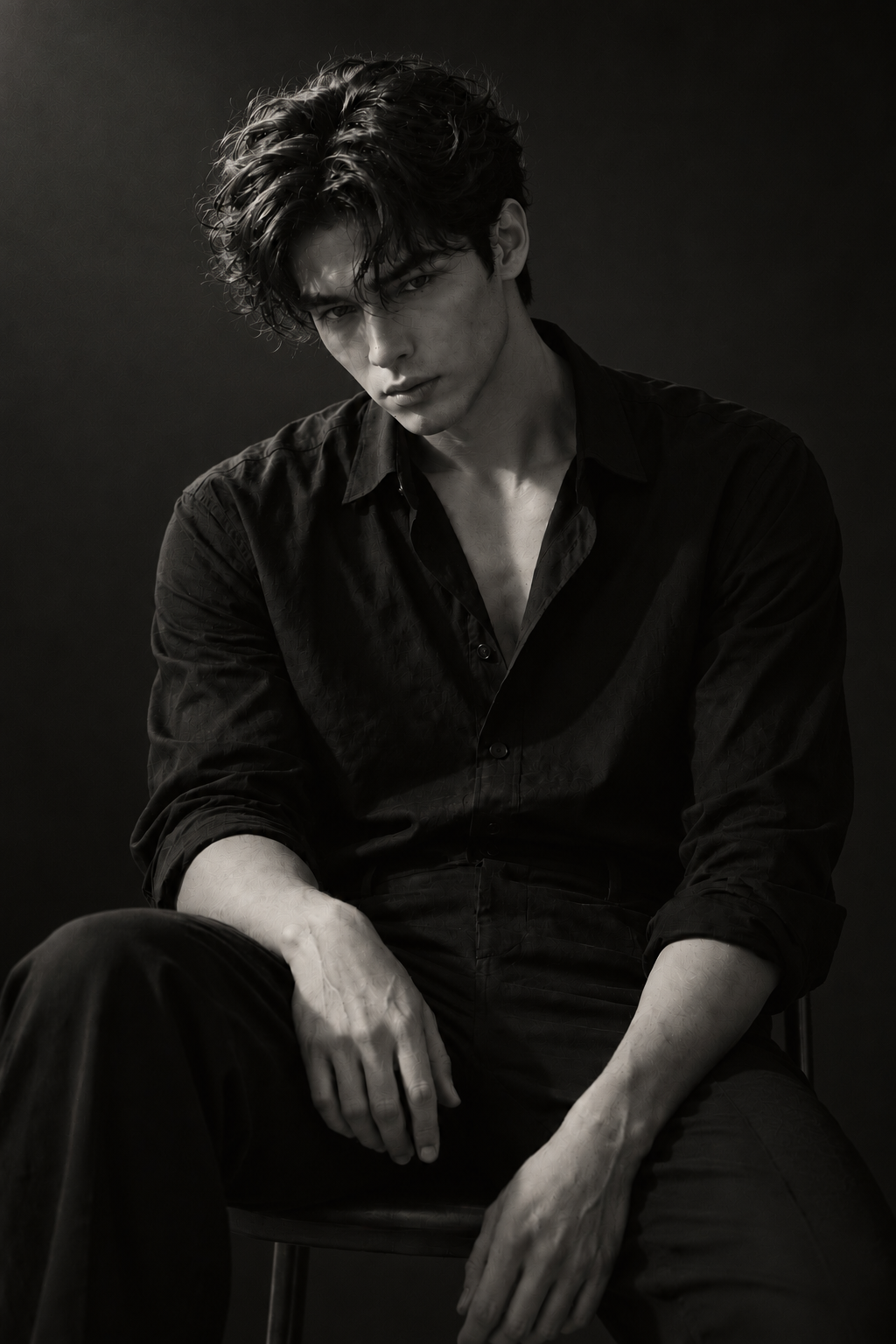
Low-key focused light
What this prompt asks for: Darken the surroundings while keeping the face legible under a focused soft source.
Lighting block to add to the shared prompt
Low-key portrait lighting with one focused soft source above and to frame-left. Keep the background and clothing dark; let the face emerge from shadow with visible eye and skin detail.What I see in the supplied result: This is the darkest image: its frame mean is 27, compared with 68 for the baseline. The face is not brighter in absolute terms; it averages 68, the same as the baseline frame mean. Its stronger separation comes from the background and clothing going darker, while the sleeve still holds some sheen.
Face L/R +12 · wall L/R +21 · frame mean 27
Face L/R and wall L/R are the frame-left region minus the frame-right region; positive values mean the frame-left side is brighter. Luminance uses a 0–255 grayscale scale and describes only these files.
What changed in the images
The measurements make two differences easy to see: the wall reacts strongly to the lighting blocks, while the face keeps the same brighter side across all five images. The low-key prompt creates the greatest separation between face and surroundings by darkening the rest of the frame.
| Prompt | Face L/R | Wall L/R | Frame mean | Face ÷ frame |
|---|---|---|---|---|
| Baseline | +23 | +31 | 68 | 1.2× |
| Soft window | +24 | +55 | 85 | 1.2× |
| Hard side | +46 | +76 | 59 | 1.3× |
| Backlight | +13 | −65 | 56 | 1.1× |
| Low-key | +12 | +21 | 27 | 2.5× |
The wall changed more than the face
The wall difference spans 141 levels, from −65 under backlight to +76 under hard side light. The face difference spans 34 levels and never changes sign. In these files, naming a source and direction affected the background pattern more visibly than it changed which side of the face was lit.
The backlight instruction did not turn the face around
The wall is brighter on frame-right and a rim appears along the hair and shoulder, matching the prompt’s intended backlight cues. But the face still measures brighter on frame-left. If facial direction matters, describe it separately from the background source.
Low-key came from dark surroundings
The low-key image has the darkest frame mean, 27. Its face is not the brightest face in absolute terms; the stronger separation comes from the dark wall and shirt around it. “Make the face emerge” did not mean “make the face brighter than in every other result.”
How This Changes Across Models
All five result images shown here were generated with GPT-image-2. They show how that model rendered these particular prompt bundles; I do not have matching results from Midjourney, FLUX, or another image model to compare.
Prompt interpretation can vary by model, so I would not assume that the same lighting block will create the same wall pattern, face shadows, or rim light elsewhere. A useful cross-model comparison would run the same base prompt and lighting blocks on each model, record each model version and its available settings, and compare the outputs side by side. That comparison has not been done here.
My Prompt Template
I built this reusable structure from the instructions in the five prompts. It keeps the light source, the face, and the background as separate decisions so you can say what each one should do.
[subject, pose, wardrobe, and framing]. [setting and visual style].

Lighting source: [source type] positioned [direction and height] relative to the subject.
Where it lands: [face, wall, or another surface].
On the face: [highlight side], [shadow side], and [contrast level]; keep [eye and skin detail] visible.
Shadow edge: [soft / hard].
Fill: [none / describe the fill source].
Background: [brightness and appearance]; avoid [unwanted projected pattern or extra source].
Example to try next, assembled from the template: “Black-and-white editorial portrait of a seated man in a black shirt, framed from mid-thigh up against a plain studio wall. One large soft source above and to frame-left, lighting both cheeks gently. Keep the eyes and skin detail visible, use a soft shadow edge, and keep the wall evenly lit with no projected window pattern.” This example has not been generated in this comparison.
FAQs
Which model generated the five images?
GPT-image-2. The available record does not include the generation settings or seed.
Do these results prove that one lighting phrase caused each difference?
No. The lighting blocks combine several instructions, and the seed and generation settings are unavailable. The article describes what appears in these five files without isolating the effect of one phrase.
Why didn't the backlight prompt make the face brighter on frame-right?
In the supplied backlight result, the wall is brighter on frame-right and the hair and shoulder have a rim, but the face remains brighter on frame-left. That describes this image only; it is not a general rule for backlighting.
Will these prompt results look the same in another model?
That has not been tested here. The five images are from GPT-image-2, so compare the same prompt blocks on another model before drawing a cross-model conclusion.
How do I use the prompt template?
Keep the subject and framing description steady, then fill in the source, direction, face, shadow edge, fill, and background fields. When testing, change one of those fields at a time and record the model and settings.